
TradingView
Where the world charts, chats and trades markets
Our Verdict
TradingView is the gold standard for charting. If you only get one tool, this should be it. The free tier alone outperforms many paid alternatives.
Best for: Traders who want powerful charting with a social community
Our Experience
TradingView in Action
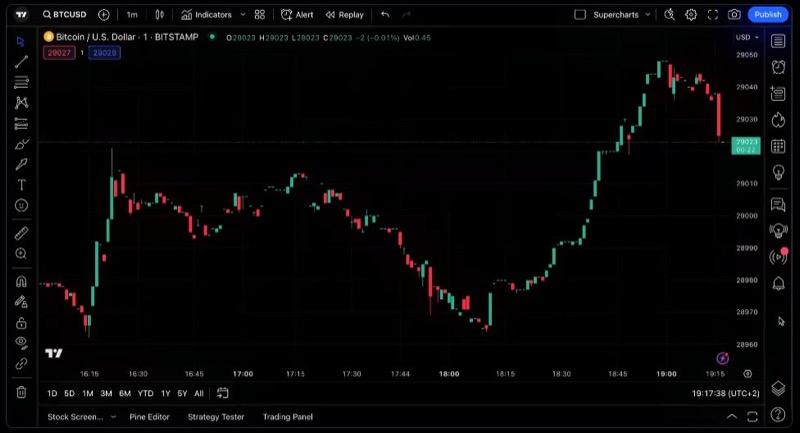
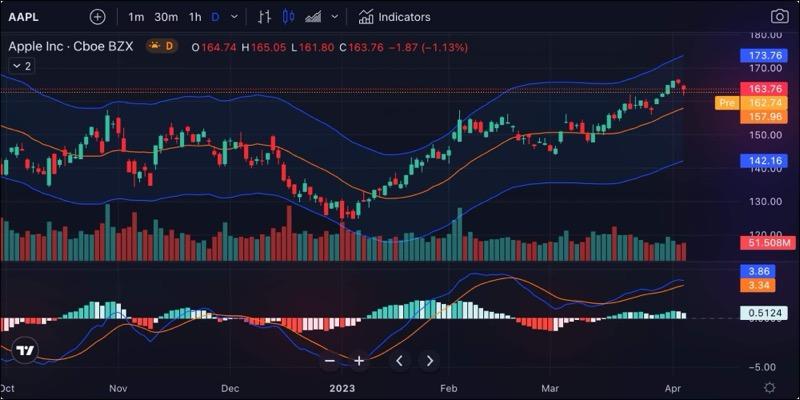
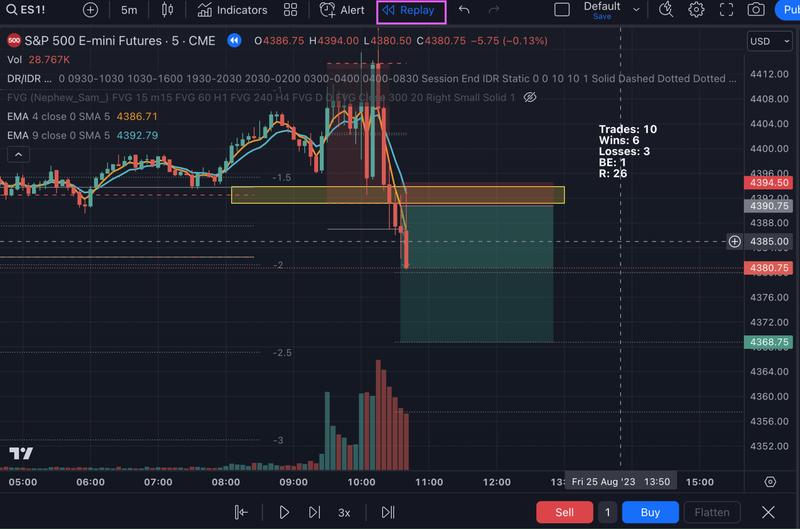
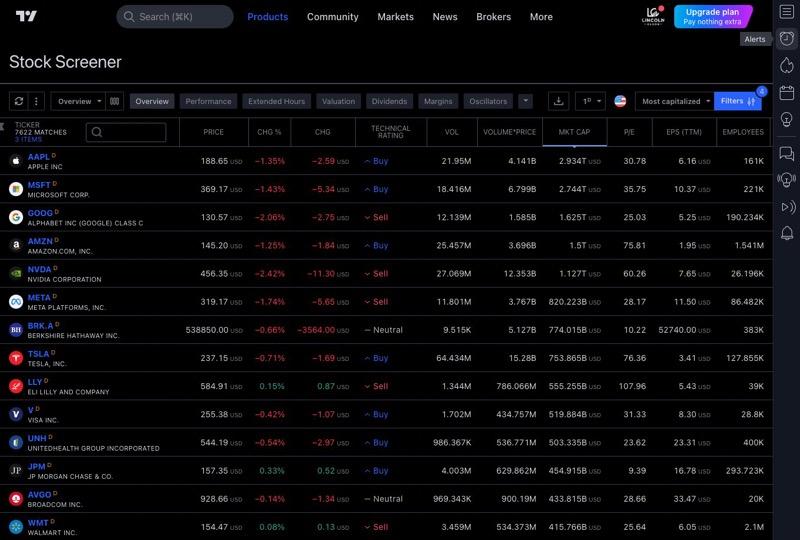
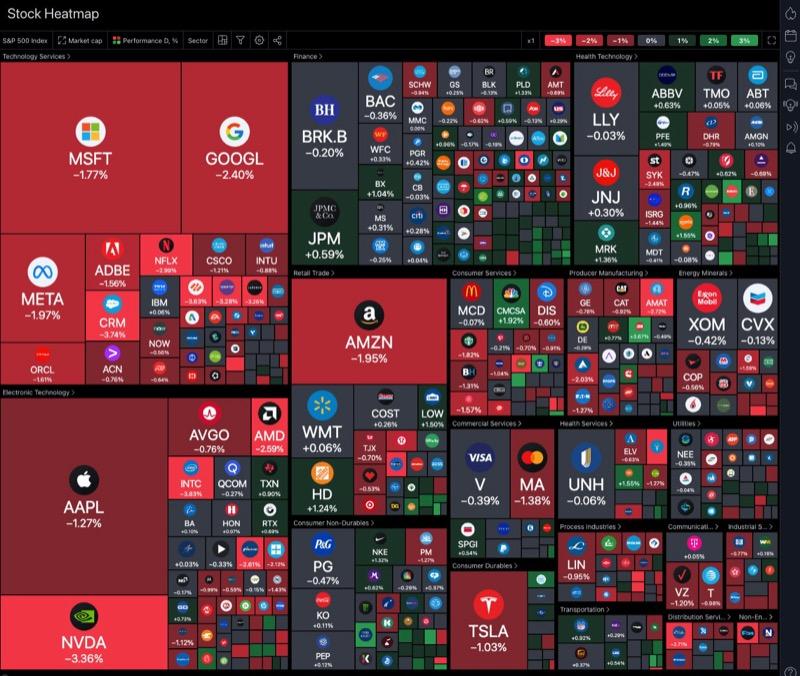
Who Should Use TradingView
TradingView is built for active traders who rely on technical analysis as their primary decision-making framework. Swing traders running multi-timeframe analysis across stocks, forex, and crypto will find the 400+ indicators, 110+ drawing tools, and real-time alerts particularly valuable. Crypto traders benefit from dedicated CEX/DEX screeners, crypto heatmaps, and direct integrations with OKX, Binance, Bybit, and Coinbase Advanced. International market participants gain access to 3.5M+ securities across 150+ global exchanges, making TradingView one of the few platforms that genuinely covers global equities, forex, and crypto in a single interface. Community-oriented learners who want to study published trading ideas, follow experienced analysts, and experiment with Pine Script custom indicators will also find strong value here. The free plan is sufficient for learning; Essential or Plus plans are recommended for active trading.
Who Should Avoid TradingView
Buy-and-hold investors and dividend-focused portfolio builders will find little here that justifies the learning curve. GreatWorkLife explicitly noted that TradingView is "not ideal for value or dividend investors." Advanced algorithmic traders who need robust backtesting with walk-forward analysis, Monte Carlo simulation, or institutional-grade execution should look elsewhere — Pine Script's backtesting capabilities are limited compared to dedicated platforms like QuantConnect. Options traders will also be underserved: the Options Builder is in beta and only available through a TradeStation partnership. Scalpers should be cautious too; as one BudgetForums user warned, traders running ultra-fast strategies will "hit its limits fast." Finally, anyone who values responsive customer support should weigh the Trustpilot rating of 1.5-1.9/5, where 60% of approximately 1,200 reviews are one-star.
What is TradingView?
TradingView is the most popular web-based charting platform used by over 60 million traders worldwide. It offers advanced charting with 235+ indicators, Pine Script for custom strategies, real-time data across stocks, forex, crypto, and futures, plus a large social community where traders share ideas. Available entirely in the browser with no installation required.
Key Strengths
TradingView's charting engine is the clearest differentiator. With 400+ built-in indicators, 110+ drawing tools, and 20+ chart types, it is the most feature-dense charting platform available to retail traders. LiberatedStockTrader measured 20ms charting latency in a 58-point lab test, and StockBrokers.com awarded it a 5/5 features rating. A verified G2 user summarized the consensus well: "Easy technical analysis with charts that are very clear, fast, and customizable." For traders whose workflow centers on technical analysis, nothing else matches this depth.
The social community of 100M+ registered users creates a network effect that no competitor has replicated. Over 100M trading ideas have been published on the platform, and 400,000+ Pine Scripts are available in the community library. One SoftwareSuggest reviewer noted that the social networking features allow "collaboration and learning from seasoned traders." Live streams from professional traders run inside the platform itself. For traders who learn by studying others, this ecosystem is a genuine educational resource, not a gimmick.
Bar Replay is a feature that earns its own mention. It allows you to rewind any chart to any historical point and replay price action in real time. StockBrokers.com called it "unique and not seen on other popular charting tools." One Stock Analysis reviewer wrote that "Bar Replay feature has paid for my TradingView Essential subscription 100x over." For developing pattern recognition and backtesting discretionary strategies, this tool is difficult to find elsewhere.
The free tier is genuinely functional, not just a teaser. New users get access to 1 chart, 2 indicators, 3 alerts, community scripts, and paper trading with a $100,000 virtual balance — all without entering payment information. StockBrokers.com confirmed that account creation takes less than a minute. Another SoftwareSuggest reviewer praised the platform for offering "excellent features for technical data analysis for investors and traders in its basic version." This low barrier to entry makes it the easiest platform to trial in the category.
Key Weaknesses
Customer support is a documented weak point. TradingView holds a 1.5-1.9/5 rating on Trustpilot from approximately 1,200 reviews, with 60% being one-star. Strike.money rated customer support at 2.5/5, and Benzinga gave it 3/5. One Trustpilot reviewer wrote that "Customer service is a useless bot." The gap between TradingView's product quality and its support quality is stark, and traders who encounter billing issues or technical problems should expect slow resolution.
The free plan's restrictions create aggressive upsell pressure. With limits of 1 chart, 2 indicators, and 3 alerts, serious traders hit the ceiling quickly. StockBrokers.com noted that "frequent prompts to upgrade can be annoying when using the free plan." A G2 reviewer observed that "some advanced features are restricted to paid plans, which can limit functionality for those on a budget." Even paying users are not immune: another G2 reviewer pointed out that "downloading historical data for backtesting still requires a higher-tier subscription."
Pine Script creates meaningful vendor lock-in. As a proprietary scripting language, Pine Script does not transfer to MetaTrader, ProRealTime, or any other platform. NewTrading.io warned that "Pine Script ties you to TradingView, as it's a proprietary language." For traders who invest significant time building custom indicators and strategies in Pine Script, switching platforms means starting from scratch. This is a real cost that should factor into the decision.
What Users Say
Key Features
TradingView Pricing
Basic
- ✓ 1 chart per tab
- ✓ 2 indicators per chart
- ✓ Community scripts
- ✓ Delayed data
Essential
- ✓ 2 charts per tab
- ✓ 5 indicators per chart
- ✓ 20 alerts
- ✓ No ads
Plus
- ✓ 4 charts per tab
- ✓ 10 indicators
- ✓ 100 alerts
- ✓ Custom timeframes
Premium
- ✓ 8 charts per tab
- ✓ 25 indicators
- ✓ 400 alerts
- ✓ Second-based intervals
Expert
- ✓ 16 charts per tab
- ✓ 50 indicators
- ✓ 800 alerts
- ✓ 4x watchlist columns
Ultimate
- ✓ 16 charts per tab
- ✓ 50+ indicators
- ✓ Unlimited alerts
- ✓ All features unlocked
Integrations
Getting Started
Getting started with TradingView is fast. Account creation takes under a minute according to StockBrokers.com, and the web-based platform requires no downloads or installations. Once signed in, you can open your first chart immediately. The Command Search feature lets you jump to any symbol, indicator, or action in seconds. Paper trading is available from day one with a $100,000 virtual balance, so you can practice order placement without risking capital. For skill development, the Bar Replay feature lets you rewind historical charts and practice reading price action. TradingView also runs "The Leap," a paper trading competition that provides a structured learning environment. The main friction point is feature density: multiple users reported feeling overwhelmed by the volume of indicators and tools available. We recommend starting with a single chart, adding one or two indicators you already understand, and exploring the interface gradually rather than trying to configure everything at once.
Pricing Analysis
TradingView runs a freemium model with six tiers as of 2026. The free Basic plan provides 1 chart, 2 indicators, and 3 alerts — enough for learning but restrictive for active trading. Essential at $14.95/month adds a second chart, 5 indicators, 20 alerts, and removes ads. Plus at $29.95/month is the "sweet spot" for most active traders, offering 4 charts, 10 indicators, and 100 alerts. Premium at $59.95/month unlocks 8 charts and 25 indicators. Expert ($199.95/month) and Ultimate ($239.95/month) target professional and institutional users. Annual billing saves 13-17% across plans. All paid plans include a 30-day free trial except Ultimate, which offers 14 days. Compared to ProRealTime at $29/month with unlimited indicators and TrendSpider at $53.50/month, TradingView's mid-tier pricing is competitive, but the indicator-per-chart caps mean power users pay more to match what competitors include at lower tiers. As a community user-bates noted, paid tiers are "worth it only if you genuinely need advanced features."
How TradingView Compares
TradingView occupies a distinct position in the market: it is the most accessible, community-driven charting platform, but it is not the only option for serious traders. MetaTrader 4/5 remains the default for forex traders who prefer desktop-first software and need unlimited indicators per chart at no cost, though its Trustpilot rating of 1.3/5 suggests its own user satisfaction challenges. ProRealTime offers unlimited indicators at $29/month with a Trustpilot score of 4.7/5, making it a strong alternative for traders who prioritize customer support. TrendSpider costs $53.50/month but includes AI-native features like automated trendline detection that TradingView lacks. Where TradingView wins decisively is breadth: 3.5M+ securities across 150+ exchanges, 150+ broker integrations, and a social community of 100M+ users. GreatWorkLife called it "the best option for international stock, FX, and crypto traders," and we found that assessment accurate for traders who value a single unified platform over specialized depth.
The Bottom Line
TradingView is the strongest charting platform available to retail traders, with 400+ indicators, 150+ broker integrations, and a community of 100M+ users that no competitor has matched. Its biggest limitation is customer support, which rates 1.5-1.9/5 on Trustpilot. We recommend it for technically-oriented traders across stocks, forex, and crypto who prioritize charting depth and community over hand-holding. Start with the free plan and upgrade to Essential or Plus when you hit the indicator and alert caps.
Sources
Explore More
Compare with similar tools →
Full pricing plan breakdown →
Side-by-side comparison →
Side-by-side comparison →
Side-by-side comparison →
Side-by-side comparison →
Ready to try TradingView?
Try TradingView